Microsoft 070-412日本語 시험요강:
| 주제 | 소개 |
|---|
| 주제 1 | - Configure Network Load Balancing (NLB)
- Manage Failover Clustering Roles
- Configure Failover Clustering
|
| 주제 2 | - Configure Hyper-V Replica Including Hyper-V Replica Broker And Vms; Configure Multi-Site Clustering Including Network Settings
|
| 주제 3 | - Restore From Backups; Perform A Bare Metal Restore (BMR); Recover Servers Using Windows Recovery Environment (Win RE) And Safe Mode
|
| 주제 4 | - Configure Security For DNS Including DNSSEC, DNS Socket Pool, And Cache Locking; Configure DNS Logging; Configure Delegated Administration
|
| 주제 5 | - Create And Configure Superscopes And Multicast Scopes; Implement Dhcpv6; Configure High Availability For DHCP Including DHCP Failover And Split Scopes
|
| 주제 6 | - Create And Configure Central Access Rules And Policies; Create And Configure Resource Properties And Lists
|
| 주제 7 | - Implement Dynamic Access Control (DAC)
- Configure And Optimize Storage
- Configure Advanced File Services
|
| 주제 8 | - Perform Live Migration; Perform Quick Migration; Perform Storage Migration; Import, Export, And Copy Vms
|
| 주제 9 | - Configure Windows Server Backups; Configure Windows Azure Backups; Configure Role-Specific Backups; Manage VSS Settings Using Vssadmin
|
| 주제 10 | - Configure The Boot Configuration Data (BCD) Store
- Configure Site-Level Fault Tolerance
- Implement An Advanced DNS Solution
|
| 주제 11 | - Quorum, And Failover Settings; Configure Hyper-V Replica Extended Replication; Configure Global Update Manager; Recover A Multi-Site Failover Cluster
|
| 주제 12 | - Configure Quorum; Configure Cluster Networking; Restore Single Node Or Cluster Configuration; Configure Cluster Storage
|
| 주제 13 | - Configure NFS Data Store; Configure Branchcache; Configure File Classification Infrastructure (FCI) Using File Server Resource Manager (FSRM)
|
| 주제 14 | - Manage Server Free Space Using Features On Demand; Configure Tiered Storage
- Configure File Access Auditing
|
| 주제 15 | - Implement Cluster Aware Updating; Upgrade A Cluster; Configure And Optimize Clustered Shared Volumes; Configure Clusters Without Network Names
|
| 주제 16 | - Configure Iscsi Target And Initiator; Configure Internet Storage Name Server (Isns); Implement Thin Provisioning And Trim
|
| 주제 17 | - Configure User And Device Claim Types; Implement Policy Changes And Staging; Perform Access-Denied Remediation; Configure File Classification
|
| 주제 18 | - Configure Virtual Machine Network Health Protection; Configure Drain On Shutdown
- Manage Virtual Machine (VM) Movement
|
참조: https://www.microsoft.com/en-us/learning/exam-70-412.aspx
사이트에서는 어떤 버전의 자료를 제공하고 있나요?
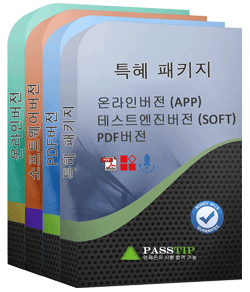
온라인버전: 휴대폰에서 사용가능한 APP버전으로서 사용하기 가장 편한 버전입니다.
소프트웨어버전: 실제 시험환경을 체험할수 있는 프로그램입니다.
PDF버전: PDF버전 덤프는 인쇄가능한 버전이기에 출력하셔서 공부하실수 있습니다.
세가지 버전의 문제는 모두 같습니다. 많은 분들이 PDF버전을 먼저 공부한후 소프트웨어버전이나 온라인버전으로 실력테스트를 진행하고 있는데 세가지 버전중 한가지 버전만 구매하셔도 되고 원하시는 두가지 버전을 구매하셔도 되고 패키지로 세가지 버전을 모두 구매하셔도 됩니다.
할인혜택은 있나요?
저희 사이트에서는 구매의향이 있으신 분께 할인코드를 선물해드립니다.결제시 할인코드를 적용하시면 보다 저렴한 가격에 품질좋은 덤프를 구매하실수 있습니다.
구매한 070-412J덤프가 업데이트될시 최신버전은 어떻게 받는지요?
덤프를 구매하시면 구매일로부터365일내에 업데이트된 버전은 무료로 제공해드리는데 덤프가 업데이트되면 시스템 자동으로 구매기록을 체크하여 고객님 구매시 사용한 메일주소에 최신버전 덤프가 발송됩니다.
070-412J덤프의 각 버전은 어떤 시스템에 적용하나요?
PDF버전은 Adobe Reader、 OpenOffice、Foxit Reader、Google Docs등 조건에서 읽기 가능하고 소프트웨어버전은 Java환경에서 진행하는 Windows시스템에서 사용가능합니다.온라인버전은 WEB브라우저 즉 Windows / Mac / Android / iOS 등 시스템에서 사용가능합니다.
070-412J덤프업데이트주기가 어떻게 되시는지요?
덤프는 구체적인 업데이트주기가 존재하지 않습니다. 저희는 2일에 한번씩 덤프가 업데이트 가능한지 체크하고 있습니다. 체크시 덤프가 업데이트 가능하다면 바로 업데이트하여 고객님께서 구매하신 덤프가 항상 최신버전이도록 보장해드립니다.
덤프구매후 시험에서 실패한다면 보상정책이 있나요?
시험문제 변경시점은 저희도 예측할수 없는 부분이라 오늘 덤프를 구매했는데 내일 시험문제가 변경된다면 시험 적중율이 떨어지기 마련입니다. 이런 경우 덤프 주문번호와 불합격 성적표를 메일로 보내오시면 구매일로부터 60일내에 주문이라면 덤프비용 전액을 환불해드리고 60일이 지난 주문이라면 추후 덤프가 업데이트될시 업데이트버전을 무료로 제공해드립니다.
결제후 070-412J제품을 받는 시간에 대해 알고 싶어요.
070-412J덤프를 주문하시면 결제후 즉시 고객님 메일주소에 시스템 자동으로 메일이 발송됩니다. 발송된 메일에 있는 다운로드 링크를 클릭하시면 덤프를 다운받을수 있습니다.

 저희 제품에 신심을 갖고 시험에 도전해보세요.


 0 분의 상품리뷰


