
 1234 고객 리뷰
  저희 제품에 신심을 갖고 시험에 도전해보세요.


070-290덤프업데이트주기가 어떻게 되시는지요?
덤프는 구체적인 업데이트주기가 존재하지 않습니다. 저희는 2일에 한번씩 덤프가 업데이트 가능한지 체크하고 있습니다. 체크시 덤프가 업데이트 가능하다면 바로 업데이트하여 고객님께서 구매하신 덤프가 항상 최신버전이도록 보장해드립니다.
사이트에서는 어떤 버전의 자료를 제공하고 있나요?
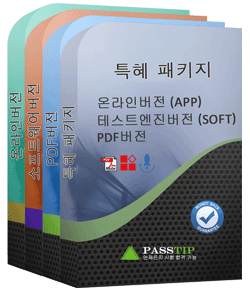
온라인버전: 휴대폰에서 사용가능한 APP버전으로서 사용하기 가장 편한 버전입니다.
소프트웨어버전: 실제 시험환경을 체험할수 있는 프로그램입니다.
PDF버전: PDF버전 덤프는 인쇄가능한 버전이기에 출력하셔서 공부하실수 있습니다.
세가지 버전의 문제는 모두 같습니다. 많은 분들이 PDF버전을 먼저 공부한후 소프트웨어버전이나 온라인버전으로 실력테스트를 진행하고 있는데 세가지 버전중 한가지 버전만 구매하셔도 되고 원하시는 두가지 버전을 구매하셔도 되고 패키지로 세가지 버전을 모두 구매하셔도 됩니다.
결제후 070-290제품을 받는 시간에 대해 알고 싶어요.
070-290덤프를 주문하시면 결제후 즉시 고객님 메일주소에 시스템 자동으로 메일이 발송됩니다. 발송된 메일에 있는 다운로드 링크를 클릭하시면 덤프를 다운받을수 있습니다.
덤프구매후 시험에서 실패한다면 보상정책이 있나요?
시험문제 변경시점은 저희도 예측할수 없는 부분이라 오늘 덤프를 구매했는데 내일 시험문제가 변경된다면 시험 적중율이 떨어지기 마련입니다. 이런 경우 덤프 주문번호와 불합격 성적표를 메일로 보내오시면 구매일로부터 60일내에 주문이라면 덤프비용 전액을 환불해드리고 60일이 지난 주문이라면 추후 덤프가 업데이트될시 업데이트버전을 무료로 제공해드립니다.
070-290덤프의 각 버전은 어떤 시스템에 적용하나요?
PDF버전은 Adobe Reader、 OpenOffice、Foxit Reader、Google Docs등 조건에서 읽기 가능하고 소프트웨어버전은 Java환경에서 진행하는 Windows시스템에서 사용가능합니다.온라인버전은 WEB브라우저 즉 Windows / Mac / Android / iOS 등 시스템에서 사용가능합니다.
할인혜택은 있나요?
저희 사이트에서는 구매의향이 있으신 분께 할인코드를 선물해드립니다.결제시 할인코드를 적용하시면 보다 저렴한 가격에 품질좋은 덤프를 구매하실수 있습니다.
구매한 070-290덤프가 업데이트될시 최신버전은 어떻게 받는지요?
덤프를 구매하시면 구매일로부터365일내에 업데이트된 버전은 무료로 제공해드리는데 덤프가 업데이트되면 시스템 자동으로 구매기록을 체크하여 고객님 구매시 사용한 메일주소에 최신버전 덤프가 발송됩니다.
Microsoft 070-290 시험 요강 주제:
| 섹션 | 목표 |
|---|---|
| 물리적 및 논리적 장치 관리와 유지 | - 디스크 리소스 관리 - 하드웨어 장치 및 드라이버 관리 - 이동식 저장소 구성 및 관리 |
| 서버 환경 관리 및 유지 | - 이벤트 로그 관리 - 서버 백업 및 복구 작업 구성 - 시스템 복구 옵션 관리 - 서버 성능 모니터링 |
| 재해 복구 관리 및 실행 | - 백업 전략 계획 및 실행 - 시스템 상태 및 데이터 복원 - 시작 및 복구 관련 문제 해결 |
| 사용자, 컴퓨터 및 그룹 관리 | - Active Directory 조직 구성 단위 관리 - 사용자 계정 생성 및 관리 - 컴퓨터 계정 생성 및 관리 - 그룹 생성 및 관리 |
| 리소스 접근 권한 관리 및 유지 | - NTFS 권한 관리 - 프린터 구성 및 관리 - 공유 폴더 및 권한 관리 |
최신 MCSE 070-290 무료샘플문제
1. You are a network administrator for your company.
The network contains a Windows Server 2003 file server named FileServer1. You notice that the free space on FileServer1 is very low.
You decide to install a new 160 GB disk named Disk1 on FileServer1. You need to create one new 80 GB logical drive on Disk1.
Also you must ensure that you will be able to increase the size of the new logical drive in the future without affecting the data stored on it.
You need to accomplish these tasks by using the Disk Management snap-in.
A) Pending
2. You have a server named Server1 that runs Windows Server 2003 Service Pack 2 (SP2). Server1 runs a custom application. Server1 is configured as shown in the following table.
You need to monitor disk activity related to the application only. What should you do?
A) Create a counter log to capture the performance data for logical disk D:.
B) Create a trace log to capture events logged by the File details system provider.
C) Create a counter log to capture performance data for physical disk 1.
D) Create a trace log to capture events logged by the Disk input/output system provider.
3. You have a Web server named Server1 that runs Windows Server 2003 Service Pack 2 (SP2).
Server1 hosts one Web site.
You create a second Web site that hosts a third party Web application named App1.
The vendor of the third party application states that the application does not support host headers.
You need to ensure that users can access both Web sites.
What should you do?
A) Enable WebDAV.
B) Enable Server Side Includes.
C) Configure both Web sites to use different application pools.
D) Configure both Web sites to use different IP addresses.
4. You are a network administrator for your company. The network consists of a single Active Directory domain. All servers run Windows Server 2003.
A user named David Pelton reports that he forgets his password.
He receives the following error message:
Unable to log you on because your account has been locked out, please contact your administrator. after
two failed logon attempts.
You need to reset Davids password as password and ensure that he can log on to the domain successfully
with this new password.
Your operation must not affect other settings. You need to perform this task by using the Active Directory
Users and Computers console.
A) Pending
5. Your network consists of a single Active Directory domain. The domain contains 13 member servers. The member servers run Windows Server 2003 Service Pack 2 (SP2). The computer accounts for all member servers are located in an organizational unit (OU) named Servers. You need to prevent remote desktop connections to the member servers. What should you do?
A) On each server, remove all users from the Remote Desktop Users group.
B) On each server, run the Terminal Services Configuration console. From the RDP TCP connection permissions properties, set the Full Control permission for the Remote Desktop Users group to deny.
C) Use a Group Policy Object (GPO) to configure the Sets rules for remote control of Terminal Services user sessions setting to No Remote Control.
D) Use a Group Policy Object (GPO) to disable the Allow users to connect remotely using Terminal Services setting.
질문과 대답:
| 질문 # 1 정답: A | 질문 # 2 정답: A | 질문 # 3 정답: D | 질문 # 4 정답: A | 질문 # 5 정답: D |


넌 감독이었어 -
우선 감사합니다.Microsoft 070-290시험 합격했습니다.
PassTIP덤프적중률이 매우 높았습니다.거의 덤프에서 다 나왔습니다.
시험 볼때 긴장 많이 됐었는데 자격증도 몇일 전에 받아서 너무 좋은 경험이었습니다.